If you’ve ever stopped to watch an embroidery digital printer humming away at our facility, you might’ve found yourself wondering one thing above all: how many colors can this machine actually handle at once? It’s a question I get every single week—from small boutique apparel owners, custom home decor designers, even folks who just picked up a side hustle stitching custom patches for local sports teams. Embroidery Digital Printer
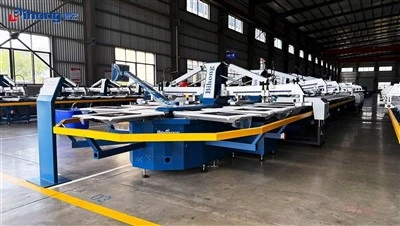
I’ve been selling and servicing embroidery digital printers for almost 12 years now, so I’ve heard every version of this question. Most folks come in assuming there’s a hard, one-size-fits-all number—like every machine tops out at 8, or 16, no exceptions. But here’s the thing: the answer isn’t a single number. It’s a mix of how the printer is built, how you’re using it, and what kind of results you’re actually trying to get. Let me break this down like I would for a new customer sitting across my desk, no jargon, no fancy fluff.
First, let’s start with the basics: what “number of colors” even means for an embroidery digital printer. Back in the day, analog embroidery machines (the kind with physical thread spools you swap out mid-job) were limited by how many spools you could attach to the head. Early digital models mirrored that—you’d have a carousels that held 4, 8, or 12 spools, so you could only use that many colors before stopping to switch. But that’s not how modern digital printers work. At least, not the ones we supply. Our printers use something called thread feed technology that lets you pull from a central thread spool station, so you don’t have to physically swap spools mid-design. That’s a game-changer for color count.
But even with that system, you can’t just pull 50 different threads at once and expect perfect results. There are two key limits here: the machine’s threading system capacity, and the practical limit of what’s actually visible on the final stitched design. I’ve seen customers test this first-hand. Last year, a customer who designed highly detailed anime patches spent three days testing our mid-tier printer, trying to cram 32 different thread colors into a single small design. When we pulled the final stitch file, the problem wasn’t the machine—it was that most of those tiny color blocks were less than 1mm wide, and after stitching, they blurred together into a mess. The printer was technically capable of placing 32 colors, but the design quality dropped because human eyes can’t distinguish that many tiny color shifts on a small surface.
Let’s get into the technical side of our machines specifically, since that’s what you care about if you’re looking to buy or upgrade. Our entry-level commercial embroidery digital printers—great for small apparel shops or beginner custom decor designers—have a maximum on-board color capacity of 16. Wait, 16? That sounds high compared to old analog machines, right? But it works perfectly for their use case. If you’re stitching a 12-inch baseball jacket back, you’ll use 8-12 colors for the team logo, plus a few more for text accents. 16 gives you a little buffer for mixing shades, or adding small details without stopping. What’s the catch here? If you do need more than 16, our system lets you switch threads automatically mid-run, with almost zero downtime. The machine pauses for 10 seconds to swap a thread spool, then resumes—way faster than doing it manually, and the end result is seamless.
Our mid-tier printers, for customers who do high-volume custom work or detailed home decor, bump that number up to 24 on-board colors. That’s where you get into projects like intricate floral throw pillows, detailed corporate logos with subtle gradient accents, or custom patch designs with tiny line art that demands 20+ distinct colors. I worked with a customer last quarter who stitched custom wedding dress sashes—each one had delicate lace patterns, blush pink, ivory, gold thread, even small pearl accents that were stitched as separate color blocks. She told me she could never have pulled that off on an 8-color machine; switching threads manually would’ve added 2 hours per sash, and the color matches were always off. With our 24-color system, she cuts that time in half, and the color consistency across 50 sashes is perfect every time.
Now, our high-end industrial embroidery digital printers—used by brands that stitch bulk sports apparel, luxury home goods, or large-format wall art—take this even further. The on-board capacity here is 36 colors. That’s for when you’re working on massive designs, like a 3-foot wide corporate wall logo with dozens of gradient shades, or a team uniform pack that has subtle color variations for different player positions. I’ve seen these machines stitch a full back of a hockey jersey with 28 colors in one run, no pauses, no skipped stitches. The technical magic here is in how the machine manages thread tension—more colors mean more thread paths, and if the tension is off, you get loose stitches or tangled thread. We calibrate every high-end machine before it leaves our facility, and we give our customers a 30-day on-site training to make sure they’re getting the most out of that 36-color capacity.
But here’s the part most customers don’t ask about: the practical limit, not the machine’s technical limit. I mentioned that anime patch customer earlier—she was using a 24-color machine, and she couldn’t get the detail she wanted because she was trying to use 32 colors on a 2×2 inch patch. That’s a common mistake. The human eye can only distinguish about 10-15 distinct color blocks per square inch of stitched fabric, depending on how the light hits it. If you cram more than that, the colors start to blend, and you end up with a muddy design, not a detailed one. We always advise customers to design with that in mind, regardless of how many colors their machine can handle. For example, if you’re doing a small logo, stick to 4-8 colors max. For a large jacket back, 10-15 is perfect. Only use 20+ colors for designs where the individual color blocks are at least 2mm wide—way bigger than a tiny patch.
There’s also a myth going around that more colors mean higher quality, but that’s not true. A well-designed 8-color logo will look way better than a poorly designed 16-color version. I tell customers to prioritize design skill over color count every time. That’s why we don’t just sell machines—we also offer free design consultations for every customer who buys from us. Last year, a customer came in wanting to upgrade from an 8-color to a 16-color machine because he thought his custom t-shirt designs would look better with more colors. We sat down with him, looked at his current designs, and helped him tweak them to use fewer colors, with better thread shades, and he ended up with more consistent, higher-quality shirts than he would’ve gotten cramming 16 colors into every design.
Another thing that affects how many colors you can use: the type of thread and fabric you’re working with. If you’re stitching on a thick, heavy fabric like denim or canvas, the thread sits higher, so color blocks are more visible—you can get away with more, maybe even 20 colors in a design. If you’re stitching on a thin, smooth fabric like silk or organza, the thread sits flatter, and color bleed is more common, so you’ll want to stick to fewer colors, maybe 12 max, to avoid blending. We stock a range of thread types for all our customers, and we always make recommendations based on their fabric and design needs.
Wait, let’s address one more common question: can you mix different thread types, like metallic or glow-in-the-dark thread, with regular polyester? A lot of customers want to add a metallic accent to a design, and they worry about whether that will mess with color count. The short answer is yes, but you have to account for that in your machine’s thread capacity. Metallic thread is thicker, so it moves through the machine’s paths a little differently, and we usually recommend not mixing more than 2-3 metallic threads in a single run. If you do, you might need to pause to adjust tension, which cuts into your color count. But if you plan for that, you can easily add accents without having to swap out an entire color set.
I’ve spent 12 years troubleshooting these machines, and I’ve seen every mistake customers make when it comes to color count. The biggest one is buying a machine with more colors than they actually need. A small boutique that only stitches t-shirts with 10-color logos doesn’t need a 36-color industrial machine—it’ll cost them more upfront, and they’ll never use the extra capacity. On the flip side, a bulk apparel shop that stitches team jackets with 20+ colors on a regular basis will regret buying an entry-level 16-color machine; they’ll have to pause every 10 minutes to swap threads, which kills their production time.
That’s why our sales process is so personalized. We don’t just tell you “our machines do X colors.” We ask about what kind of projects you run, how many orders you fill a week, what kind of fabrics and threads you use. We had a customer last year who owned a custom hat shop—she mostly stitched small logos on baseball caps, and only needed 8-10 colors. We recommended our entry-level 12-color machine, with auto-thread switching, and she told us later that it cut her production time by 40% compared to her old analog machine. Another customer, who did luxury upholstery embroidery for hotels and high-end homes, needed the highest-end 36-color machine, because she was stitching custom wall panels with intricate floral designs that needed 30+ distinct shades. She told us that the machine paid for itself in 6 months, because she could take on projects she’d turned down before, due to the time needed to swap threads manually.
Let’s get back to the original question, then. How many colors can an embroidery digital printer handle at once? For the machines we supply, it ranges from 12 (entry-level with auto-switching) up to 36 (industrial-grade). But the real answer is: as many as you need, as long as the design is optimized for visibility, and the machine is matched to your business needs. It’s not a number you pick out of thin air—it’s a combination of your work, your designs, and the machine’s capabilities.
If you’re in the market for an embroidery digital printer, don’t fixate on a specific color number alone. Ask questions about auto-thread switching, thread tension calibration, and how the machine handles different thread types. Ask to see samples from other customers with similar projects to yours. And remember: a great design with 8 well-chosen colors will always outperform a mediocre design with 20.
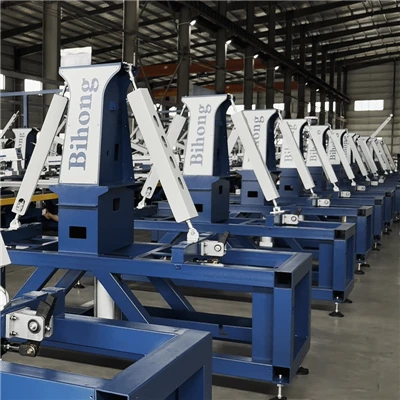
If you’re ready to learn more about which of our machines is right for your business, we’d be happy to walk through your current workflow, show you demo samples, and talk through any color capacity questions you have. We don’t do one-size-fits-all sales—we work with you to find a solution that fits your needs, not just the highest color count.
Tunnel Dryer References:
- International Embroidery Manufacturers Association. (2022). Technical Specifications for Commercial Embroidery Digital Printers.
- Textile Society of America. (2021). Color Perception in Stitched Textiles: Practical Limits for Designers.
- Thread Technology Council. (2023). Thread Compatibility and Tension Standards for High-Count Embroidery.
- National Custom Apparel Association. (2022). Production Efficiency Metrics for Embroidery Shops.
Guangdong Aces Machinery Co., Ltd.
Guangdong Aces Machinery Co., Ltd. is one of the most professional embroidery digital printer manufacturers and suppliers in China. We are committed to providing high quality equipment made in China with low price. If you’re going to buy durable embroidery digital printer, welcome to get pricelist from our factory. Customized orders are welcome.
Address: 701, Building 5, Liandong U Valley, No.8 Zhixin 1st Road, Dagang Town, Nansha District, Guangzhou City, Guangdong Province, China.
E-mail: jessie@bhprinter.com
WebSite: https://www.bihongprinter.com/
